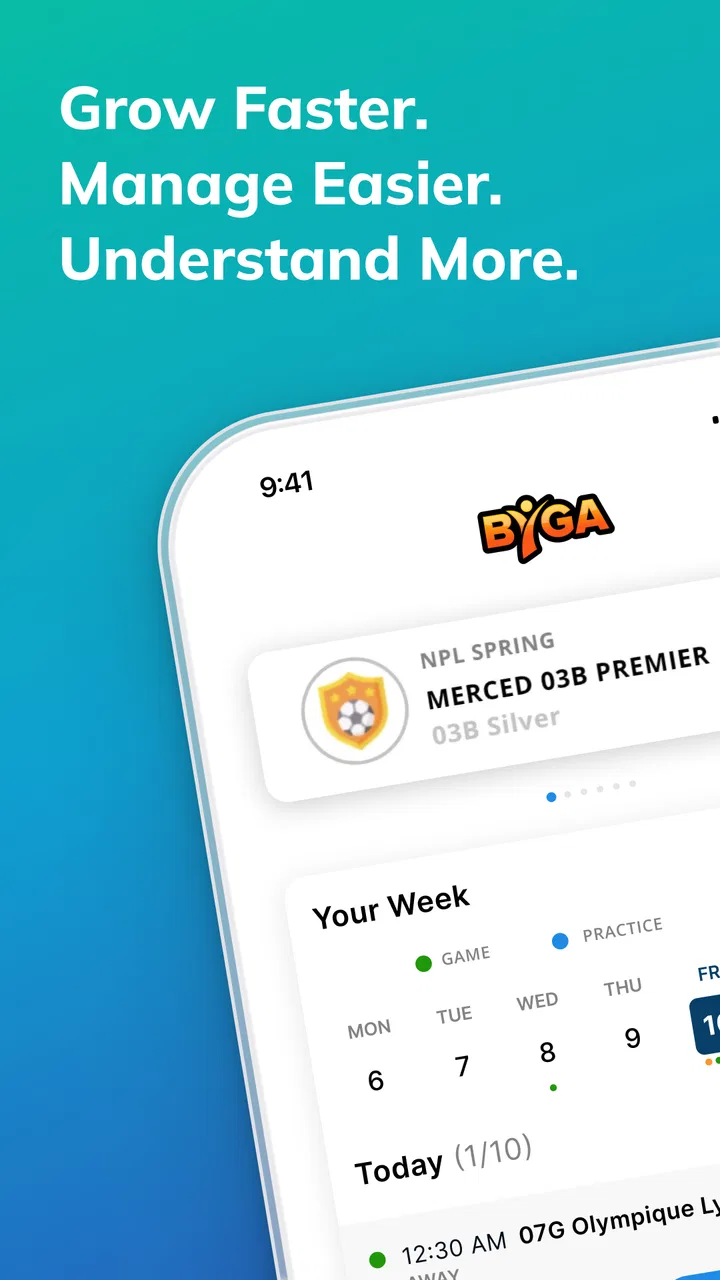
Byga
- 4.7
- Rating
- 50.00K
- Installs
- Free
- Price

 Analysis by App-foxy
When a sports organization already runs its administration through Byga.net, Byga is the practical mobile companion I would reach for first. It is not trying to be a general fitness tracker, a live-score service, or a replacement for every sports app on a phone. Its purpose is narrower and more useful: bringing a user’s existing Byga.net account into a mobile setting. That focus makes the app easy to understand, but it also determines who will benefit from it.
I reviewed it as a sports app from Byga, and my overall impression is that it works best as an extension of an organization’s existing workflow rather than as a standalone product. If your club, academy, league, or team already uses Byga.net, having account access on a phone can remove a surprising amount of small daily friction. If your organization uses another system, however, installing this app alone is unlikely to change much.
How I Decided Whether Byga Was Worth Using
My first decision criterion was simple: does the organization I need to follow actually use Byga.net? That question matters more here than the usual app-store questions about features or visual polish. Byga is tied to an account-based sports management environment, so its value comes from the information and activities connected to that account. Without that connection, there is no obvious reason to choose it over a general sports app.
You May Also Like

 AccuWeather: Weather Radar
AccuWeather Review: A Quick, Clear Forecast for Everyday Decisions
For everyday plans, the best forecast is the one you can understand quickly. AccuWeather makes rain timing, radar, and local conditions easy to act on, with a few trade-offs.

 Hill Climb Racing
Why Hill Climb Racing Still Turns Crashes Into One More Run
A tiny car, a bumpy hill and one more upgrade: Hill Climb Racing keeps resurfacing because its simple chaos makes every near-miss feel personal.

 AliExpress - Shopping App
AliExpress Makes Global Shopping Feel Personal, but Shoppers Bear the Risk
AliExpress turns a global marketplace into a pocket-sized discovery engine. Its reach is useful, its shopping loop compelling, and its trade-offs easy to miss.

 Lords Mobile: Kingdom Wars
Lords Mobile Is a Kingdom-Building Routine, Not a Quick Match
A case-by-case verdict on the building, battles, device demands, and social commitments that make Lords Mobile rewarding for some players and exhausting for others.

 PDF Scanner app - TapScanner
TapScanner Makes Paperwork Easier to Capture, Check, and Share
TapScanner makes scanning with a phone feel less like a rescue operation and more like a dependable step in getting work done. Its capture tools are useful, though not flawless.

 Block Blast!
 Shows How Much a Puzzle Game Can Leave Out
A quiet grid game shows why puzzle players increasingly value instant clarity, repeatable skill and low-pressure play—and where the genre still needs to catch up.
More From Our News Desk
View All News


The second criterion was convenience. Sports administration often involves short, repeated checks rather than long sessions: looking at an upcoming activity, checking a message, confirming a change, or staying aware of what a team or club is doing. A mobile app is worthwhile when it makes those checks easier than opening a browser and navigating to a website every time.
I also considered whether it suits different roles. A parent may want quick access to a child’s sports organization. A player may care about staying informed while away from a computer. A coach or administrator may need a more regular connection with the organization’s online workspace. The app makes the most sense when several people around the same sports program need access to the same account-based system.
There is an important distinction between mobile access to an existing sports account and a complete sports-management solution. Byga should be judged on the first job. Comparing it directly with a training tracker or a social sports network would be unfair because those products solve different problems. The better comparison is with using Byga.net in a mobile browser or relying on messages and separate calendars to keep up with an organization.
The first setup decision is really about account access
Before downloading, I would ask the club or program for the exact account details and sign-in process it expects members to use. This is one of the most useful practical steps because confusion at the account level can look like an app problem. If a parent manages more than one participant, I would also clarify how those profiles are organized before relying on the app for time-sensitive information.
I would not treat the app as a substitute for asking the organization how it communicates urgent changes. A mobile account can make information easier to reach, but the club’s own habits still matter. If staff use several channels at once, users may need to know which one is considered authoritative. That is a workflow issue, not something the app can solve by itself.
What the app is, and what it is not
Byga is listed as a free sports app for everyone, and that makes it approachable for families and participants who simply need access to their organization. The free download is helpful, but it should not be confused with a promise that every sports organization’s services are free. The app is the access point; the experience depends heavily on the Byga.net account behind it.
I would also avoid expecting it to behave like a personal sports diary. Someone looking for workout recording, route tracking, performance analysis, or a broad community feed should look elsewhere. Byga’s role is organizational access, not personal athletic measurement. That narrower purpose is a strength when it matches your need and a limitation when it does not.
Where Byga Wins in Everyday Sports Administration
The biggest advantage is the reduction of small interruptions. When I need to check something connected to a sports organization, a phone-based account is more natural than sitting down at a computer. That matters during a busy school day, on the way to practice, or while coordinating several family commitments. The app is most valuable not because one individual action is dramatic, but because repeated small checks become less cumbersome.
A realistic example would be a parent managing a child’s weekly activities. Instead of waiting until the evening to open a laptop, the parent can use the mobile account while already handling school pickup or planning the next day. If the organization has placed relevant information in the Byga.net account, the parent can consult that account at the moment it becomes useful. This can make sports administration feel less like a separate chore.
For a player, the benefit is similar but more personal. A teenager who rarely checks a desktop website may be more likely to stay connected through a phone. That does not guarantee perfect attention, of course, but it removes one barrier: the need to remember to visit a separate website from a computer. In organizations where participants are expected to keep track of their own information, that accessibility can encourage more independence.
A better fit for connected groups than isolated individuals
Byga becomes more useful when the whole sports environment is already organized around the same service. A single user may appreciate account access, but the real convenience appears when parents, players, coaches, and administrators are working from a shared system. That shared context is what separates it from a generic notes app or a personal calendar.
I see a particular advantage for families with several sports-related responsibilities. Instead of treating every update as a separate conversation, the family can return to the organization’s account as a central reference point. The benefit is not that the app replaces personal planning; rather, it gives personal planning a more reliable place to begin.
Coaches and volunteers may also find the mobile format useful when they are away from a desk. Sports administration rarely happens only in an office. People move between fields, facilities, homes, and transport. A mobile connection fits that reality better than a desktop-only routine. Still, I would judge whether the app is sufficient for a particular administrative role based on the organization’s workflow, because mobile access is not automatically the same as full desktop functionality.
Three practical habits that make the app more useful
First, I would use Byga as a check-in point before building a separate personal schedule. If I immediately copy everything into another calendar without checking the account again, later changes can create conflicting information. A better habit is to consult the organization’s account first, then update personal plans from the latest information.
Second, I would establish a routine around moments when mistakes are costly: before leaving for an activity, before arranging transportation, and before making plans around a busy sports week. This is more dependable than opening the app randomly and hoping to catch an important change. The app’s value increases when it becomes part of a deliberate routine.
Third, I would keep role boundaries clear in a shared family setup. If several people use the same organization, each person should know which account or participant information they are viewing before acting on it. That simple check can prevent the kind of mix-up that occurs when one household manages multiple players or programs.
The mobile format changes how people engage with information
Using a phone encourages shorter, more frequent visits. That is useful for quick awareness, but it can also make users skim rather than read carefully. My advice is to slow down when an update affects transport, attendance, or a commitment involving other people. A mobile interface is convenient, but convenience should not lead to assumptions based on a partial glance.
This is one of the app’s less obvious trade-offs. The same accessibility that makes Byga easy to check can also encourage casual checking. For routine information, that is fine. For anything that changes a family’s schedule, I would verify the full context before forwarding it or making arrangements.
What its adoption and maintenance suggest
Byga has an average rating of 4.7 from around 1.7 thousand ratings, and it has passed over 50 thousand installs. Those figures suggest that the app has found a clear audience among people who need access to Byga.net through a mobile device. I would interpret that positively, while still remembering that account-based apps are often judged by how well they fit a particular organization’s process.
The app was released on October 5, 2018, and the current version is 2.23.0. It requires Android 8.0 or later, so Android users should check their phone before making it part of a family or team routine. That requirement is not especially demanding for many current devices, but older phones can be the deciding factor in whether a household can use it comfortably.
Where a Different Option May Fit Better
Byga is not the best choice for someone who wants a complete personal sports experience. If your main goal is tracking exercise, recording workouts, monitoring progress, or exploring a broad sports community, a dedicated fitness or activity app would be more appropriate. Those alternatives are designed around the individual athlete, while Byga is designed around access to an organization’s online account.
A general calendar may also be better for someone who already receives all sports information elsewhere and only needs reminders. Calendars are excellent for personal planning, but they do not necessarily provide the same organizational context. The trade-off is straightforward: a calendar can be simpler for reminders, while Byga is more relevant when you need to consult the source connected to your sports program.
Messaging apps can be more convenient for quick conversations, especially when a team already communicates in a group chat. However, chat threads are easy to lose in a busy inbox, and information can become scattered across replies. Byga is a better fit when the organization expects members to use its account as a structured reference point rather than treating every update as an informal message.
Using Byga.net in a browser is the closest alternative. A browser may be enough for occasional users who do not mind signing in manually, and it can be preferable when they need a larger screen for more involved work. The app makes more sense for repeated mobile access, particularly for people who check the account while moving through a normal day.
Who should skip the app?
I would skip it if your club, league, or academy does not use Byga.net. Installing it in the hope that it will discover sports activities on its own is likely to lead to disappointment. I would also skip it if you are searching for training tools, live competition coverage, or a personal performance dashboard. Those needs call for a different type of product.
I would be cautious if your phone runs an older Android release below 8.0, or if your organization has not explained how members should use its online account. In that situation, the problem is not necessarily the app’s quality; the setup may simply not match your circumstances. Clear instructions from the organization are especially important when several family profiles are involved.
Finally, users who prefer to keep every schedule in one personal calendar may find Byga unnecessary after they have copied the relevant information. Even then, I would keep access available if the organization regularly updates its information online. A personal calendar is convenient, but it can become outdated unless someone actively maintains it.
The Cost of Switching From Another Routine
Because the app is free, the main cost of switching is not money. It is the time needed to change habits. Users who currently depend on email, a browser, paper notes, and group messages may need to decide which source they will check first. That small decision is important: adding another app without changing the routine can create more confusion rather than less.
I would make the switch gradually. Start by using Byga for one recurring need, such as checking the organization before a weekly activity. Once that feels natural, use it as the first reference for broader scheduling. This approach avoids copying every detail into multiple places before you know which information actually matters to your household.
Families should also decide who is responsible for checking updates. If everyone assumes someone else is watching the account, mobile access does not solve the communication gap. A simple household agreement—who checks, when they check, and how important changes are shared—can make the app much more effective than leaving usage to chance.
For coaches or volunteers, the switching cost may involve changing from informal messages to a more structured account workflow. I would not force every conversation into the app if the organization still relies on other channels. Instead, I would use Byga for the information it is intended to hold and keep urgent communication aligned with the organization’s established practice.
There is also a mental cost to relying on an account-based system: users must remember that the app reflects the organization’s online environment, not necessarily their complete personal schedule. I recommend treating it as the authoritative starting point for Byga-related information, then combining it with personal planning tools only when that improves clarity.
My Recommendation for Families, Players, and Sports Staff
I recommend Byga to anyone whose sports organization already uses Byga.net and who wants a more convenient way to reach that account from a phone. For parents, it can make recurring checks easier. For players, it lowers the barrier to staying connected. For coaches and volunteers, it can be useful when sports administration continues outside a desk-based setting.
My recommendation is more limited for people choosing an app independently. Byga is not a universal sports companion, and its usefulness depends on the organization behind the account. If you need personal training analysis, broad sports discovery, or nothing more than simple reminders, another category of app will probably serve you better.
I also recommend setting expectations before relying on it. Confirm the correct account, understand which participant profile you are viewing, and agree with your family or team about how updates will be handled. Those steps may sound basic, but they address the most realistic sources of friction in an account-centered sports workflow.
With its free availability, everyone age rating, established presence, and a current version that supports Android 8.0 and later, Byga is an accessible choice for its intended audience. Its strong rating reflects a product that appears to meet a specific need well, but I would not mistake that for a reason to install it without a Byga.net connection.
My final view is straightforward: choose Byga when your sports organization already lives in Byga.net and mobile access would make your routine easier. In that situation, it is a sensible, focused tool. If your needs begin with workouts, personal statistics, or general sports entertainment, keep looking at alternatives built for those jobs instead.
FAQs for Byga
01What is Byga, and what does it offer?
Byga is a comprehensive app designed to streamline sports team management. It offers features such as scheduling, communication, and payment processing, making it easier for coaches, parents, and players to stay organized. The app aims to simplify the administrative tasks associated with managing a sports team, enhancing overall efficiency and communication.
02Is Byga available for both Android and iOS devices?
Yes, Byga is available for download on both Android and iOS platforms, ensuring wide accessibility for users. You can easily find it on the Google Play Store and Apple App Store, allowing coaches, players, and parents to stay connected regardless of their device preference.
03How does Byga handle team communication?
Byga offers integrated communication tools that allow team members to send messages, share updates, and coordinate schedules. This ensures that everyone is on the same page and reduces the need for external messaging apps. Notifications keep users informed about any changes or important announcements, enhancing team cohesion.
04Can Byga process team payments and fees?
Yes, Byga includes a payment processing feature that simplifies the management of team fees. This allows teams to collect dues, track payments, and manage financial transactions directly within the app. It provides a secure and efficient way to handle financial aspects, reducing the administrative burden on team organizers.
05Is Byga user-friendly for parents and coaches?
Byga is designed with an intuitive interface that caters to both tech-savvy and non-technical users. The app offers easy navigation and straightforward functionality, ensuring that parents and coaches can efficiently manage schedules, payments, and communication without a steep learning curve.
Pros
- User-friendly interface for easy navigation.
- Real-time updates keep everyone informed.
- Customizable notifications for events.
- Integrated payment system for convenience.
- Secure data handling ensures privacy.
Cons
- Limited offline functionality.
- Occasional syncing issues reported.
- In-app ads can be intrusive.
- Some features locked behind paywall.
- Limited customization options for themes.

Byga
Gallery